“It only jerks on a hill”, “after twenty minutes of driving”, “only when I press the throttle harder”. In the workshop, standing still, everything looks fine, because the symptom needs load. That is when a recording from the road is needed. Logging “everything” without a plan, however, gives hundreds of numbers in which nothing stands out.
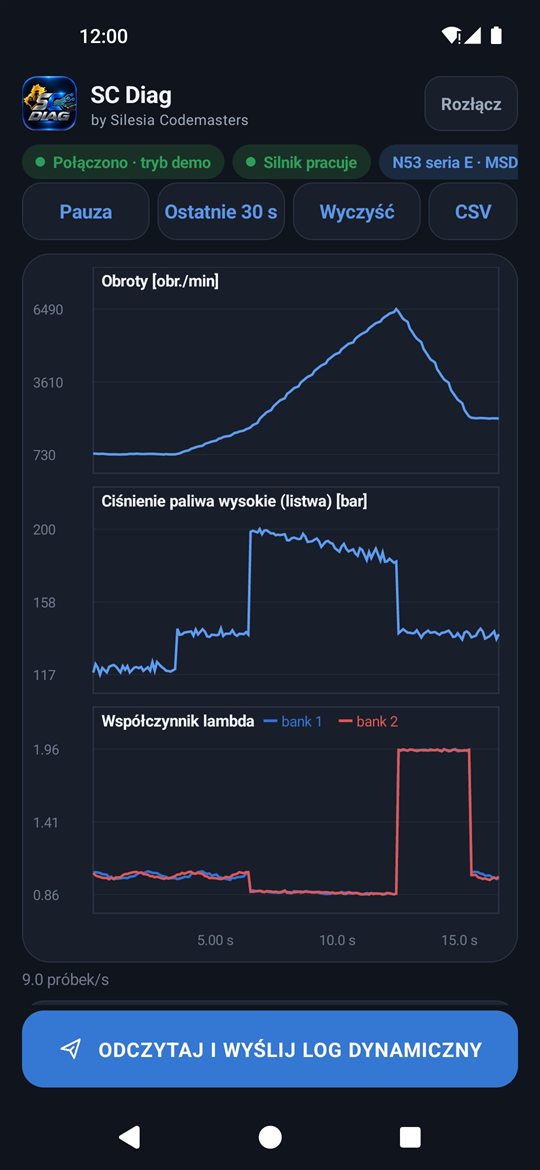
Dynamic log in SC Diag on Android. Demo mode, simulated data.
Here we describe which groups of parameters are worth recording on the N43 and N53, what each one is for, how to run the test drive and what to attach to the log so that someone can assess it sensibly.
Short answer: on the N43 and N53 we record engine speed with load, low and high fuel pressure, mixture corrections with lambda and the sensors, injection, misfires, VANOS, oil and voltage. Add a description of the symptom and the driving conditions. The set is matched to the problem, and a log narrows down the checks but does not point to the part to replace.
Start with a note, not with the app
Before you connect the adapter, write down three things: when the symptom appears (after a night, once warm, only under load), what you are doing at that moment (pulling away, accelerating, cruising) and what has been replaced recently. In the analysis that note carries as much weight as the columns of numbers. The same value means something different on a cold and on a warm engine, and a number without conditions means nothing. We describe the order for reading values in the article on live engine parameters.
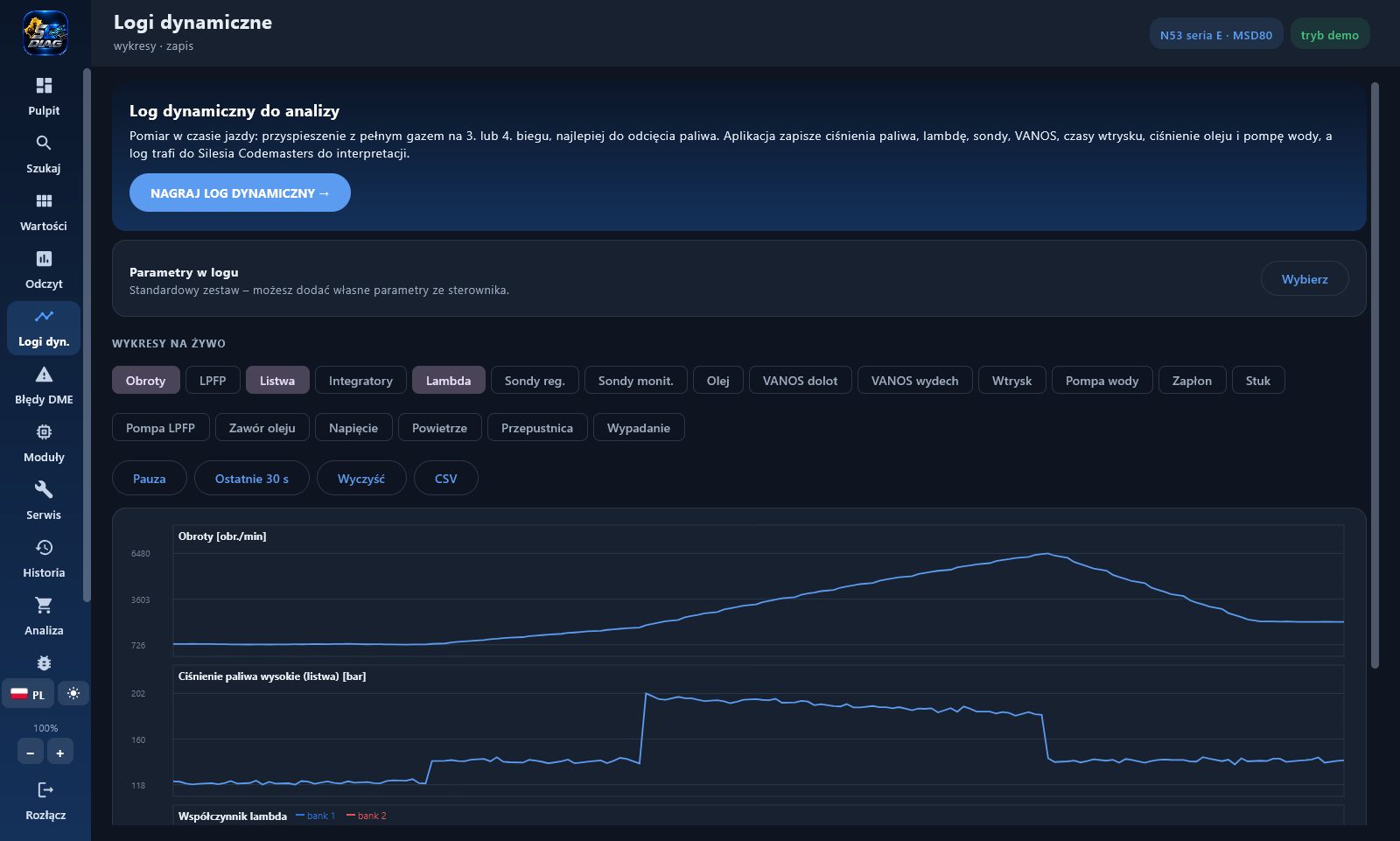
Choosing charts in the dynamic log in SC Diag for Windows. Demo mode, simulated data.
The background without which the rest is unreadable
Nobody logs engine speed and temperature out of curiosity, but without them you cannot tell where in the run something happened. Load shows whether the control unit is working lightly or under pressure. Coolant and oil temperature show whether the engine is still in its warm-up programme. Voltage lets you rule out that the sensors' behaviour is the result of a drop in the electrical system. In SC Diag voltage has its own chart.
Fuel, mixture and injection
The N43 and N53 have direct injection, so fuel is viewed from two sides: low pressure from the lift pump and high pressure in the rail, requested next to actual. When the high pressure cannot keep up under load and the low pressure is restless, suspicion moves to the low-pressure side rather than straight to the high-pressure pump. What counts is the trace over time, not a single moment. More in the articles on fuel pressure on the N43 and N53 and on rail pressure.
Alongside go the mixture corrections (integrators), lambda, the control and monitoring sensors of both banks and the injection time. A correction that pulls one way only as load rises says something different from a correction that is constant from idle. Remember that stratified operation gives a lambda above 2.0 and that this is not a fault (operating modes of the N43 and N53).
Smoothness, VANOS and oil
Misfires and rough run show which cylinder stands out. In a log from the road, ignition and knock channels are added. For the intake and exhaust VANOS we record the requested and the measured angle, because a camshaft that cannot keep up sometimes explains a rough run. Oil pressure together with the regulating valve helps when the symptom appears just after starting. The water pump can be added to the charts when the temperature behaves oddly. On a first attempt the standard set in the app is enough; add your own parameters only once you know what you are looking for.
Cold, warm or “check only”
Before driving, take a reading while stationary. SC Diag asks when the problem occurs, and the answer decides how the measurement is run. On a cold engine the program first measures the cold sensors with the engine off, then from the start, so do not start the car “for a moment” beforehand. On a warm engine it waits until the engine has warmed up and starts the measurement by itself. The “no symptoms, check only” option is a neutral reading, for example before a purchase (pre-purchase check of the N43 and N53).
The test drive step by step
The dynamic log screen describes the measurement as an acceleration under heavy load in a higher gear. This is done only where it is legal and safe. If you do not have such conditions, take a reading while stationary and describe that the symptom appears on the road.
- Take a stationary reading first, so that you have a reference point.
- Choose the charts: the standard set to begin with, your own later.
- The driver drives and does not touch the phone. A second person starts and stops the recording.
- Repeat the situation in which the symptom occurs. If it did not appear, say so plainly. A log without the symptom also tells you something.
- Save the log and note at what point of the drive something was wrong.
What to send for analysis
The log, that is the encrypted record of the reading, and a short description: when, doing what, what was replaced. Vehicle and customer data are entered voluntarily, and you decide whether to send it. How to do it step by step is described in the article how to record a BMW engine log, and the scope of the report is on the log analysis page.
What a log will not settle: it will not show a leak, play or mechanical wear and does not replace an inspection in the workshop. It shows what the control unit reported, and on the N43 and N53 there is the most of it.
How we can help
The first route is your own reading in SC Diag: from €9.99 for 30 days, €29.99 for a year or €69.99 for two years with the Service tab. Android and Windows are separate licences, and before buying you can look at demo mode. You can order it on the SC Diag order page.
The second is diagnostics with us: at the workshop in Silesia, mobile or remote (N43, N53). We agree the scope by phone, 570 341 744, after a short description of the symptom.
Frequently asked questions
The number is not what matters, the match to the symptom is. To begin with the standard set in the app is enough; you add your own parameters once you know what to look for.
For different things. Standing still is repeatable, while driving catches what only appears under load. That is why both are usually done.
No. The driver drives, and a second person operates the recording. If you do not have one, stay with the stationary reading.
A reading for analysis can be taken without a key, and the key is needed for the live view of values. Details are in the article on recording a log.
A log narrows down the checks and points to the probable direction. A decision to replace a part comes only from combining it with an inspection and a measurement on the car.
Take a reading of your N43 or N53 in SC Diag
From €9.99 for 30 days. You can save a recording from the road and send it for analysis.
Order SC Diag