Figures taken from the list of control units supported by SC Diag (identical on Android and Windows). Parameters are the total of the catalogues of all 97 control units — a single unit provides anything from a few dozen to more than 5,000 values; in total there are more than 97,000 fault-code descriptions. ICOM and VXDIAG — Windows version only.
From the E46 to the G series. Petrol, diesel, M and MINI.
SC Diag grew out of our work on N43 and N53 engines. Today it supports 97 engine control units — once connected, it identifies the control unit by itself and loads the matching set of values, faults and functions. Here is the list by engine family:
Petrol
Diesel
Screens for EGR, swirl flaps, boost, glow plugs, the DPF and AdBlue — wherever the control unit provides them.
MINI, hybrids, i3
BMW and MINI series in the control-unit descriptions
Series as listed in the control-unit descriptions — the same control unit usually serves many models fitted with that engine. E series: K+DCAN cable or ELM327. F and G series: ENET cable or ELM327, and on Windows also ICOM and VXDIAG.
N43 and N53 — full scope
Our speciality: guided cold- and warm-engine reading, value assessment with explanations, engine operating mode, injector coding, NOx catalyst desulphation, adaptation reset and the most thorough log analysis.
Other engines — control-unit profile
Live values and the full control-unit catalogue, fault codes with freeze frames, charts, dynamic logs and service procedures — to the extent the control unit provides them. Values the control unit does not report simply don't appear.
Diagnostics, service, vehicle functions and log analysis.
The same features on Android and Windows. Diagnostics come with every paid licence; the Service tab comes with the 2-year licence.
Diagnostics
every paid licence- Live dashboard — temperature, rpm, voltage, fuel pressure and readiness to read; add your own parameters to the dashboard.
- Values and the full control-unit catalogue — group screens (mixture, boost, EGR, DPF, oil, battery…) and every value of the control unit on tiles, sorted by system.
- Search — find parameters, screens, tests and functions by name, with a live preview of the value.
- Engine faults with freeze frames — fault codes with descriptions; tap one to see the conditions when it was stored: rpm, load, temperature, mileage.
- All modules in the car — fault memory of the other modules on a colour-coded map (no entries, stored, active), with fault clearing.
- Rough run and misfires — the running of each cylinder on a chart, flywheel adaptation status, misfire counters.
- Dynamic logs — recording while driving, with live charts (e.g. fuel pressure, boost, lambda) and saving to a file.
- Guided cold- and warm-engine reading — the app asks when the problem occurs and guides you through the measurement step by step.
- Reading history — saved readings and logs stay on your device.
Service
2-year licenceEngine procedures, each confirmed before it runs. The categories are matched to the control unit:
- Oil change registration — the oil service counter in the control unit starts again from zero.
- Adaptations and resets — clearing learned values (selected ones or all), resets after replacing parts, e.g. a sensor or the NOx catalyst.
- Actuators — activation test with a live view of the response.
- Diagnostic tests — e.g. tank ventilation system leak test, charging test, cylinder comparison.
- Learning and calibration — e.g. learning the adjustment range after replacing an actuator.
- Battery — registering a new battery of the same capacity and type, with the sensor state before and after.
- DPF in diesels — enabling regeneration and resetting after fitting a new filter.
- N43 and N53 in addition — injector coding with backup and restore, NOx desulphation when stationary (N53) and while driving, cylinder cut-out, disabling lambda control, forcing the operating mode.
Experimental functions, used at your own risk, each with confirmation. Before the first use the app shows a warning, and every procedure needs its own confirmation. The scope depends on the control unit and its software — not every procedure will work in every car. With the 30-day and 12-month licences the Service tab is visible but locked.
Vehicle functions
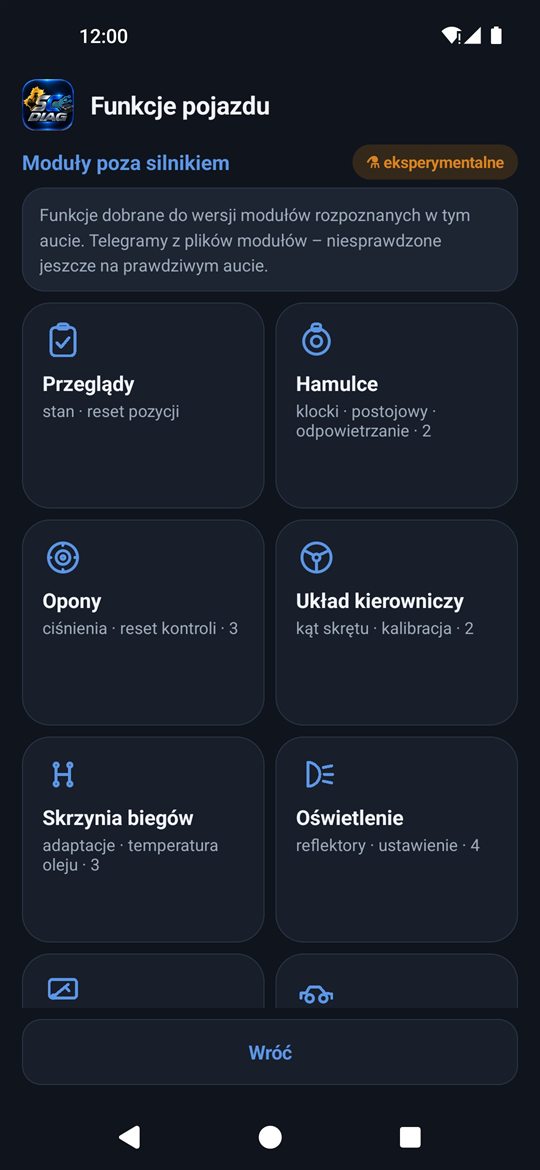
modules beyond the engine · in ServiceSC Diag identifies the modules in the car and shows functions matched to their versions:
The list of functions depends on the modules and their versions in the specific car. Changes and resets require the 2-year licence and are experimental functions, each with confirmation.
Log analysis
a Silesia Codemasters service- Full reading as an encrypted log — one button in the app; you decide whether to send it.
- Order the analysis from the app — the log reaches us together with the order, and the PDF report arrives by e-mail.
- For every supported engine — most thorough for N43 and N53, the engines our speciality is built on.
With the 2-year licence, Basic Diagnostics costs €40 instead of €50 — on every order. The analysis is a separate diagnostic service, independent of the app licence.
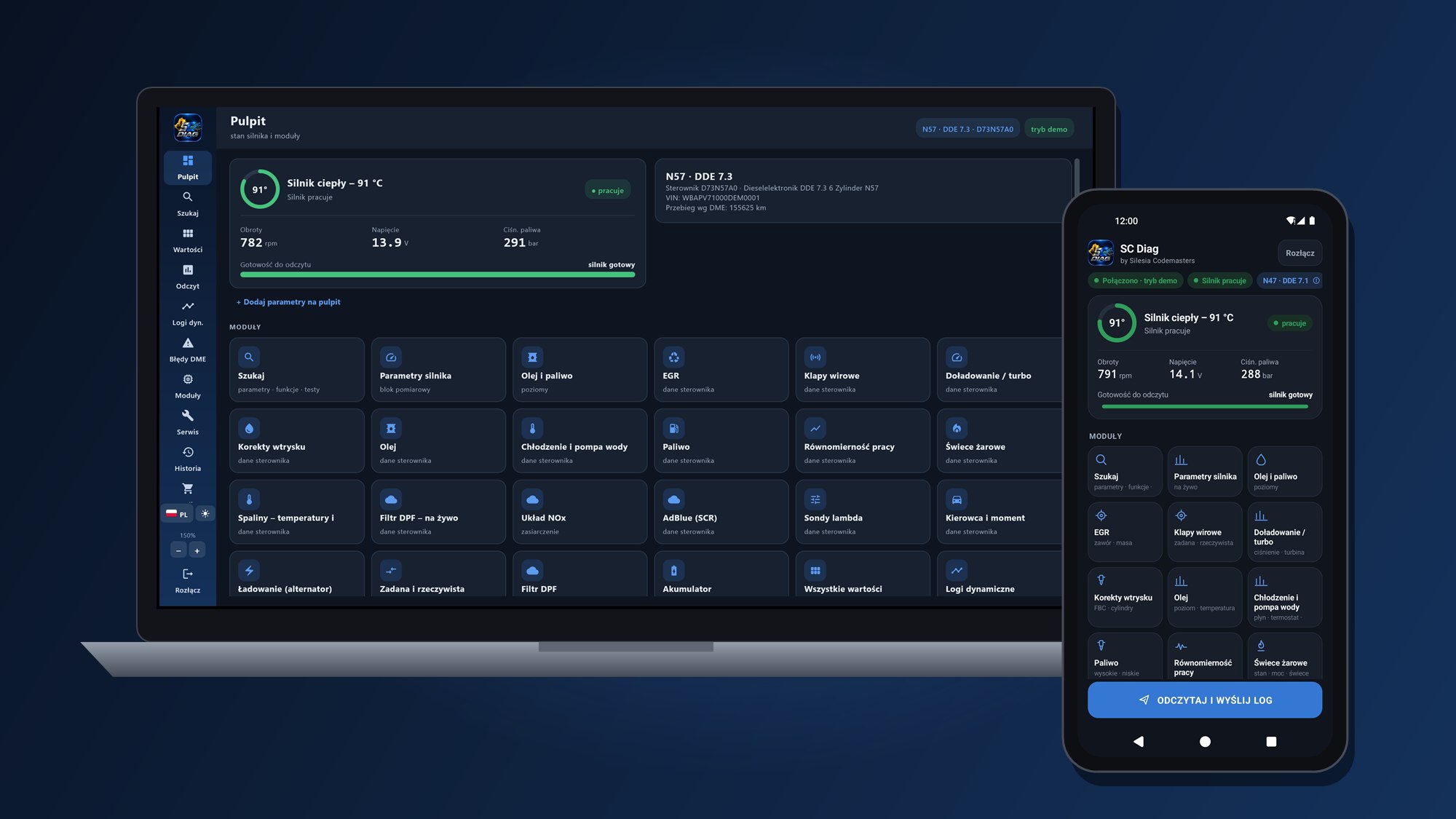
Real screens — on a laptop and on a phone.
All screenshots come from the demo mode, which works without a car and without a licence — the data is simulated. Click a screenshot to open it full size.
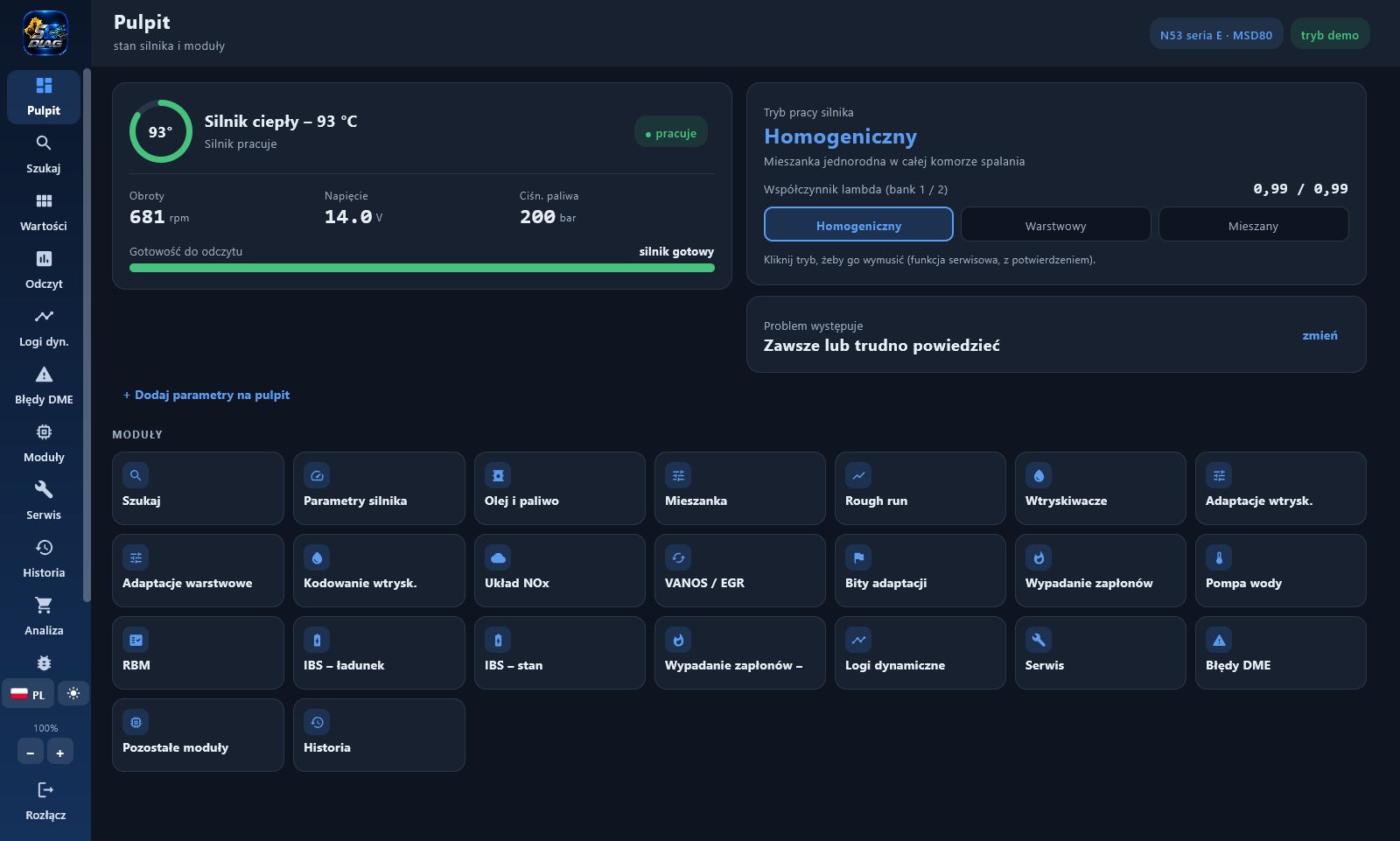
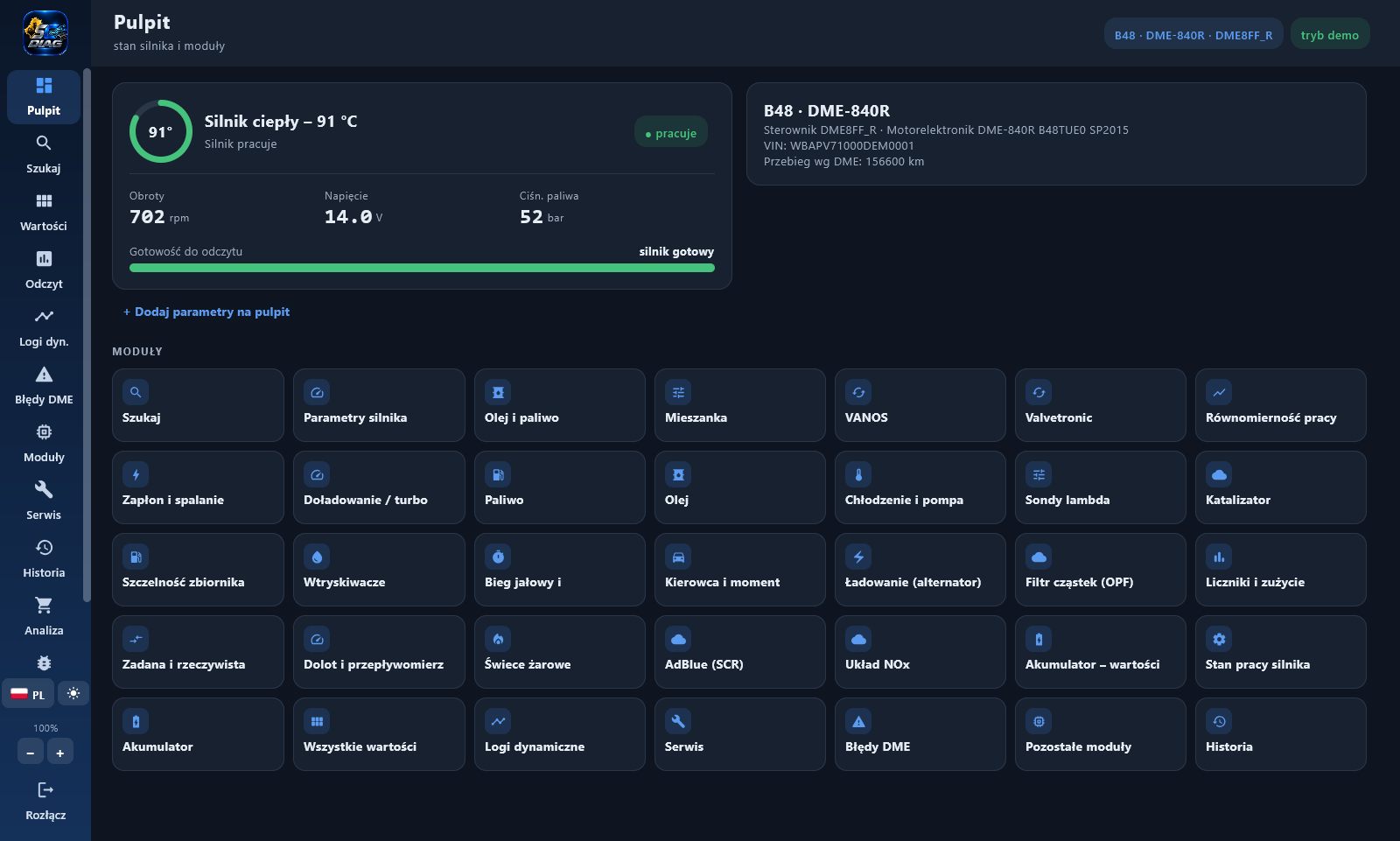
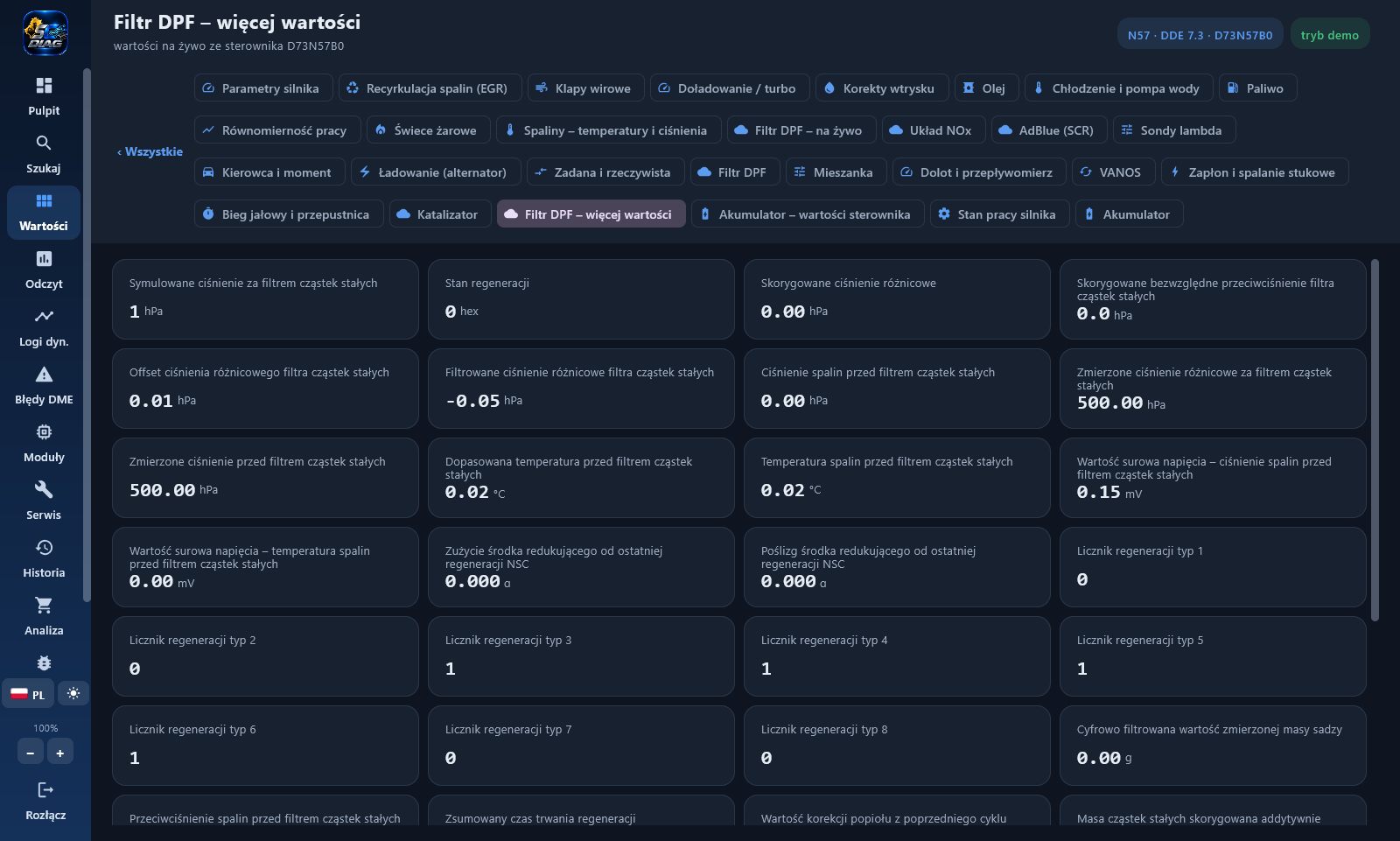
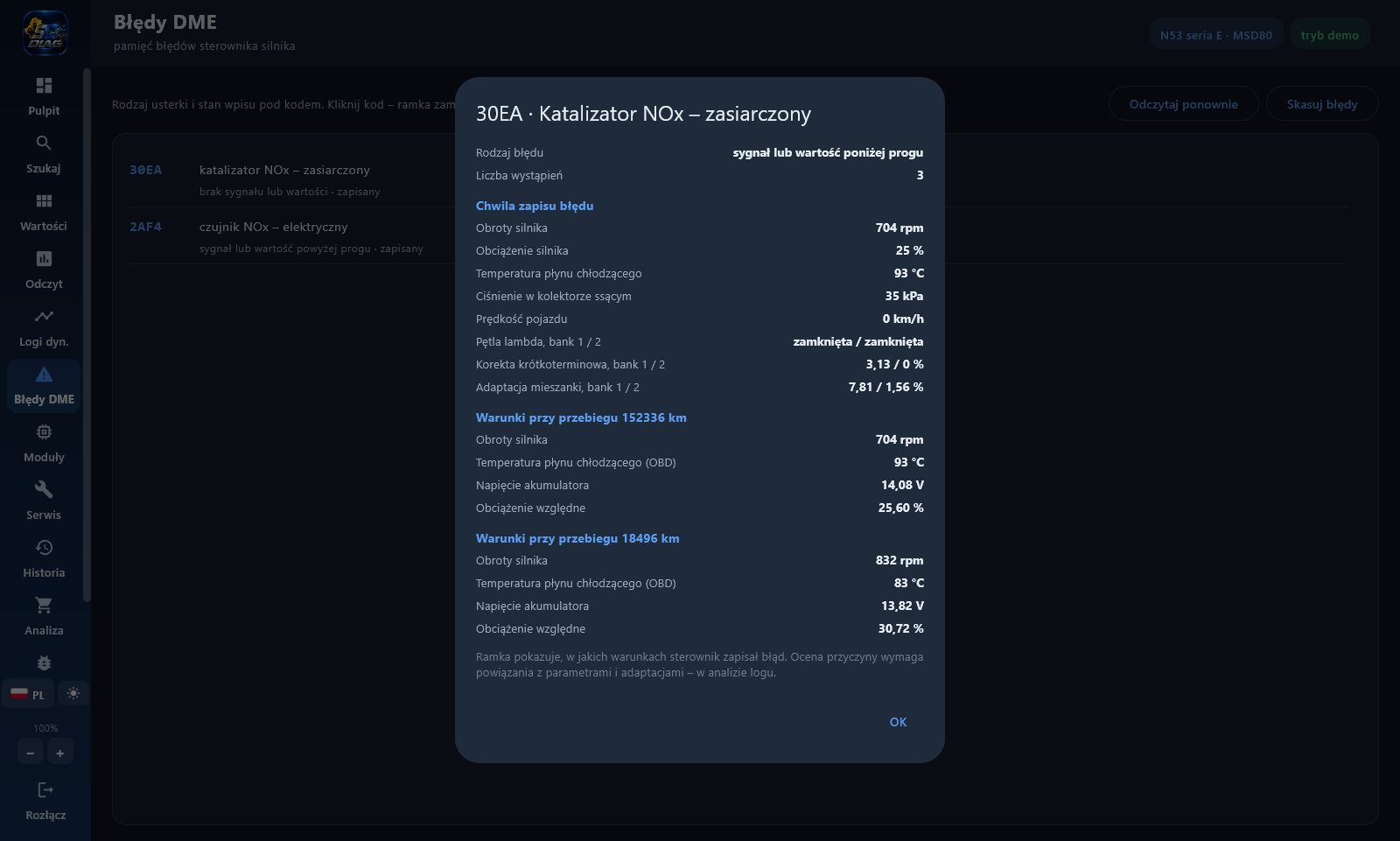
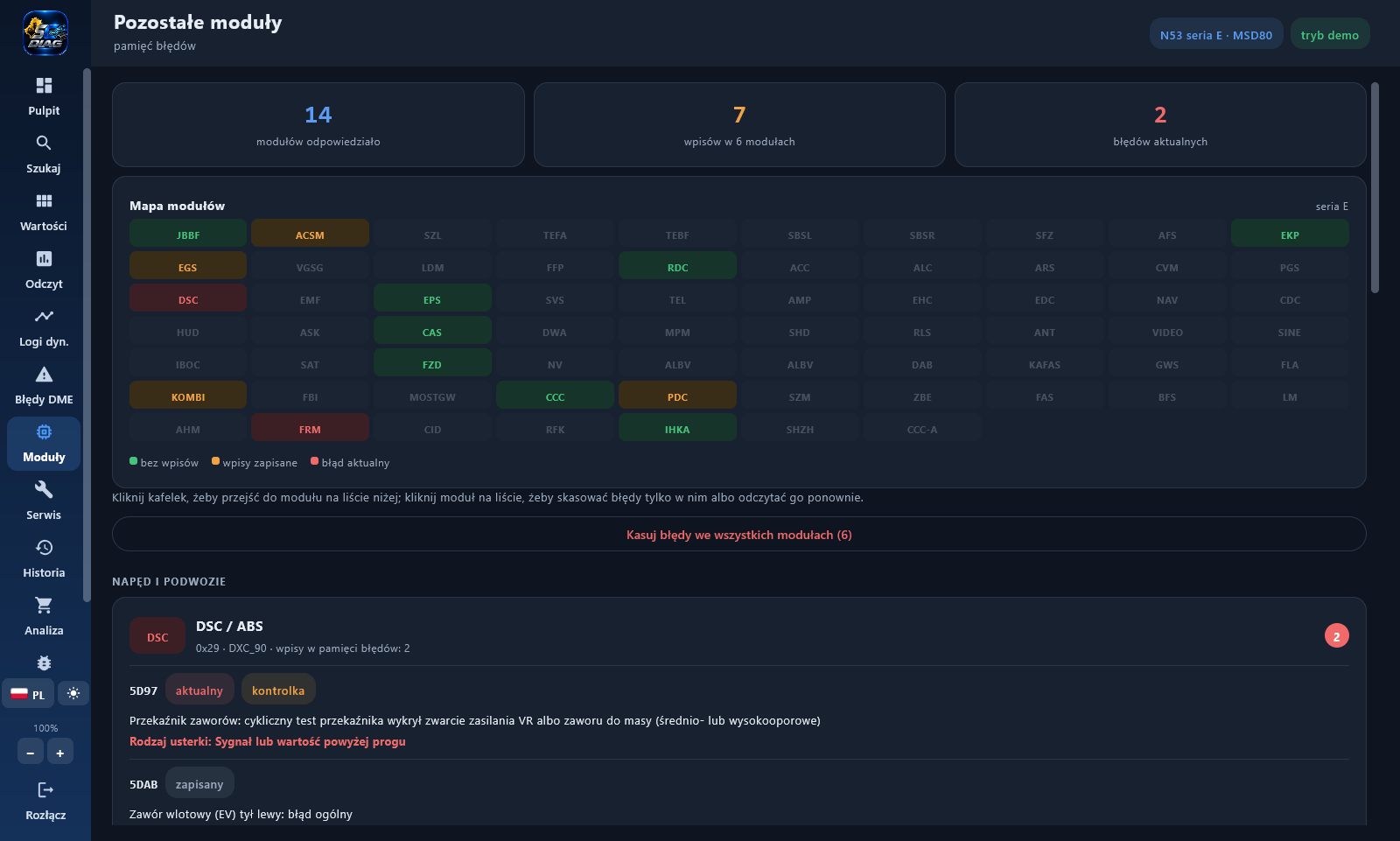
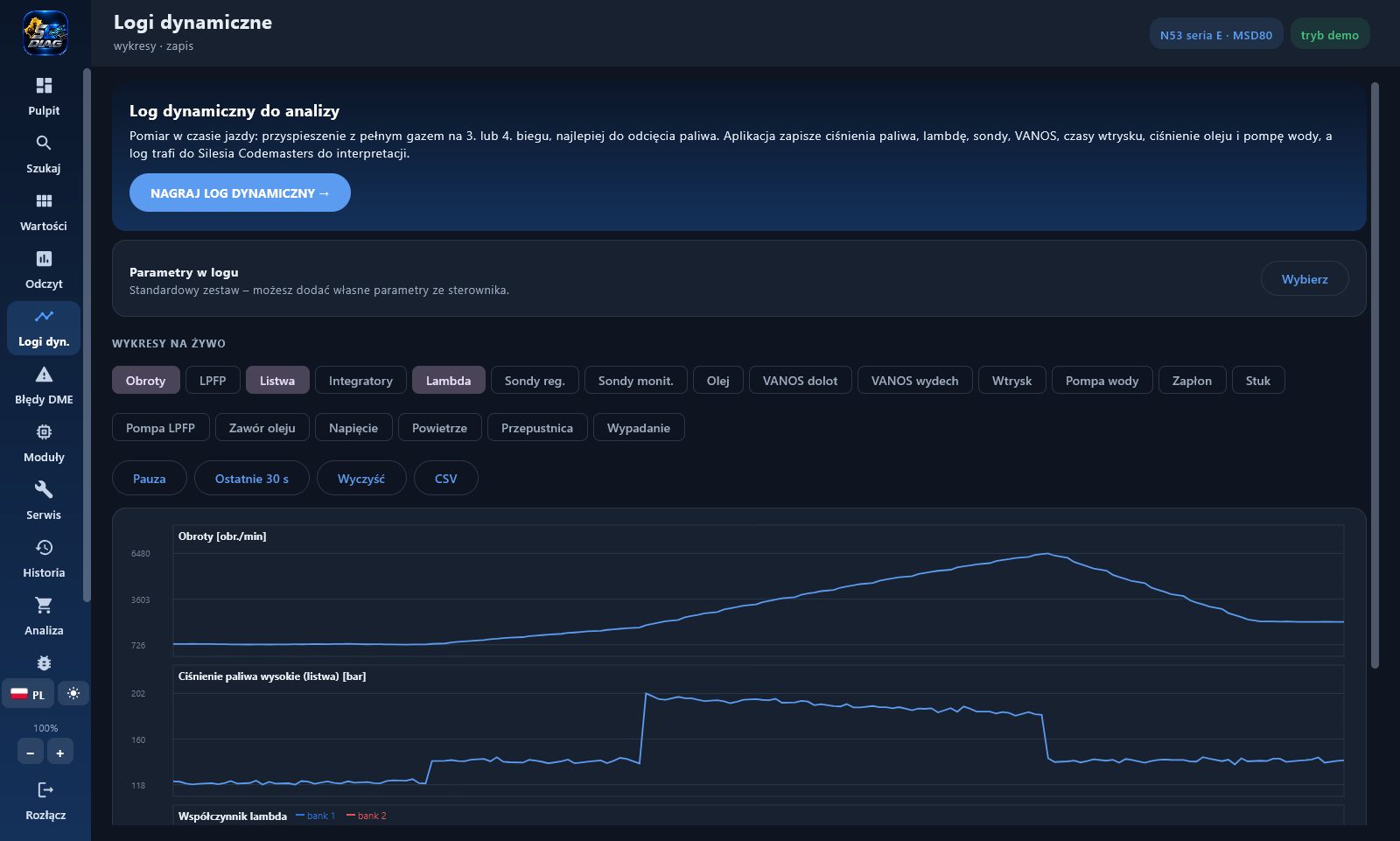
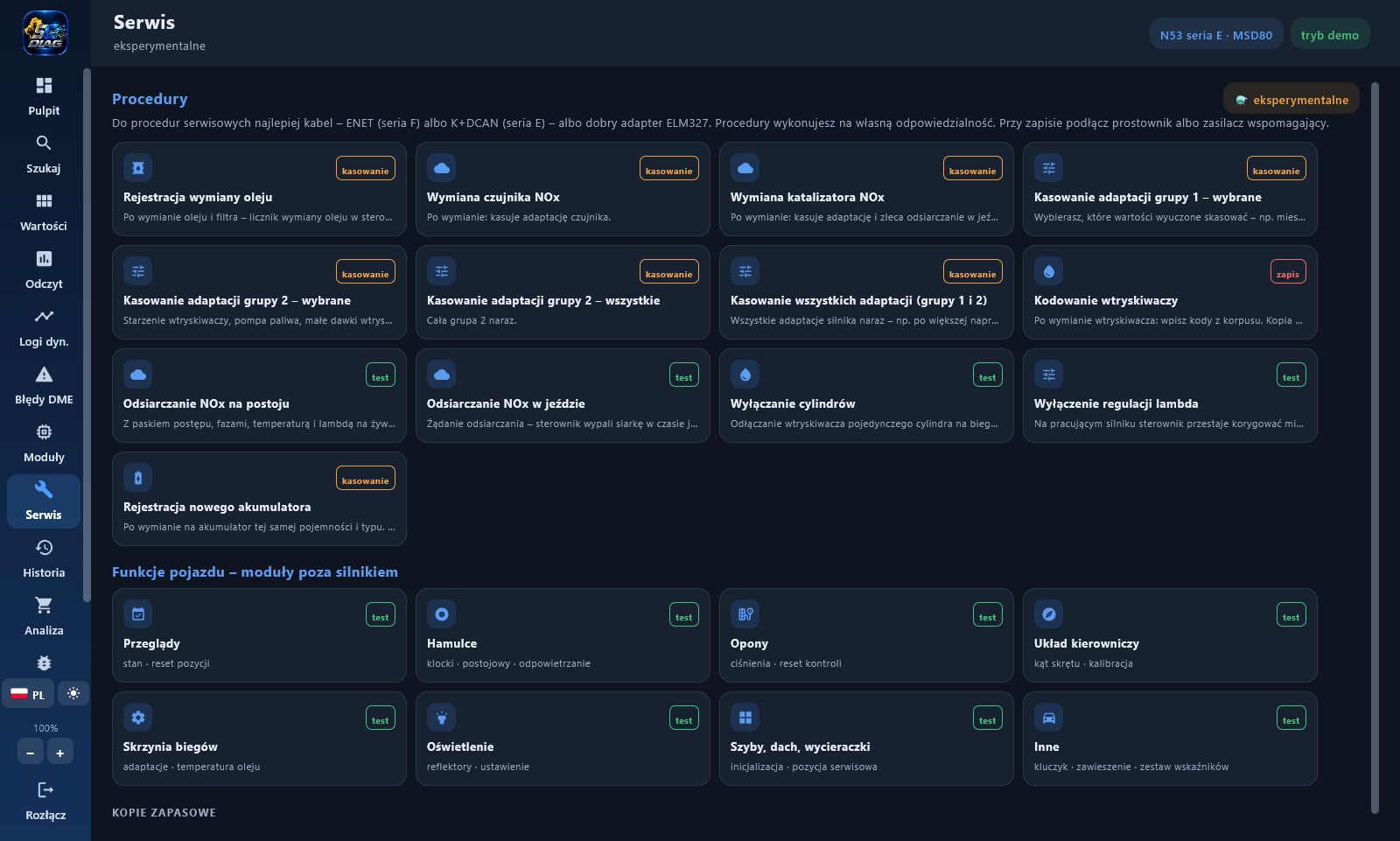
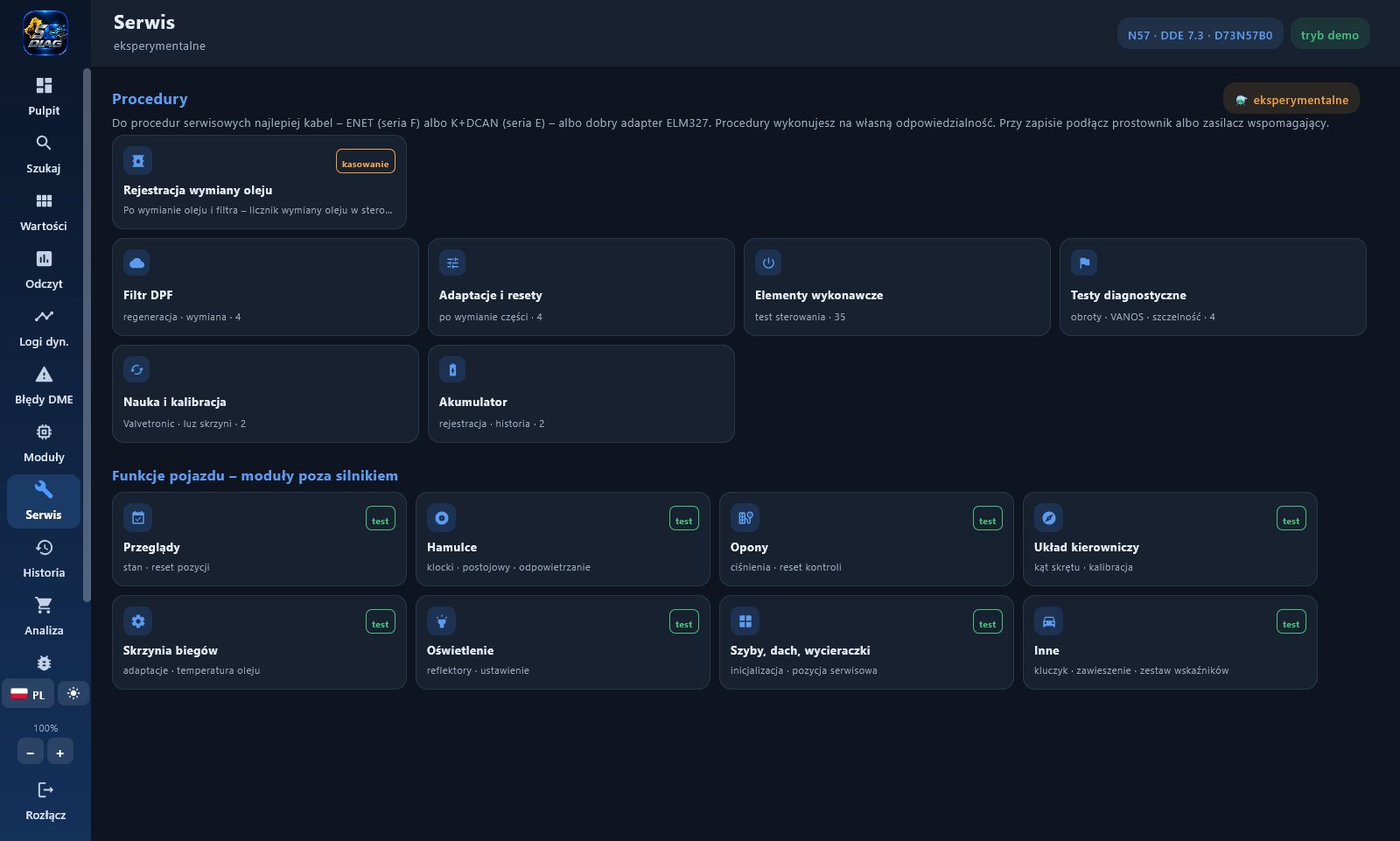
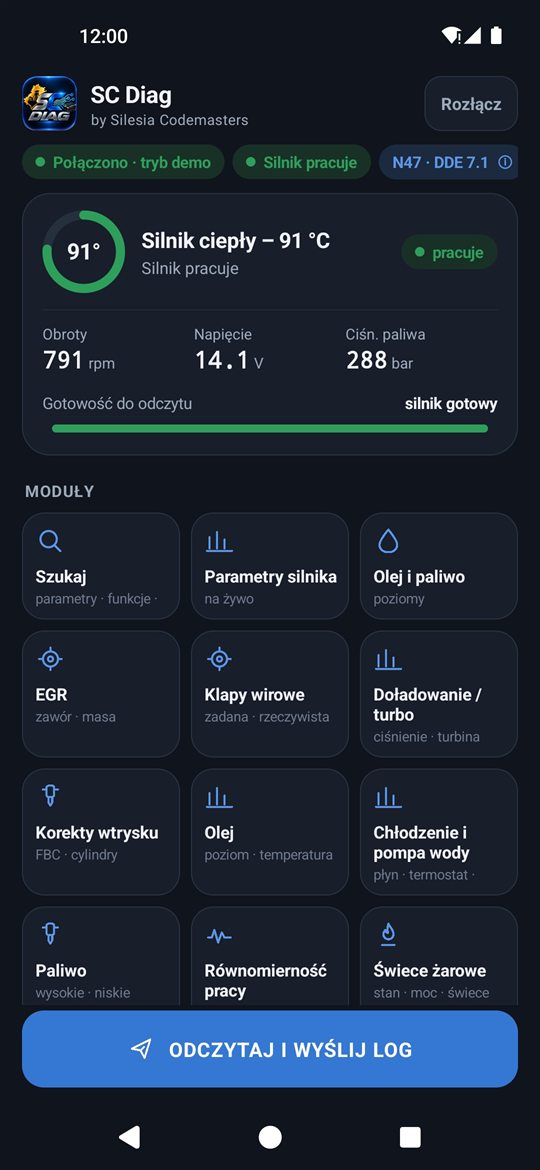
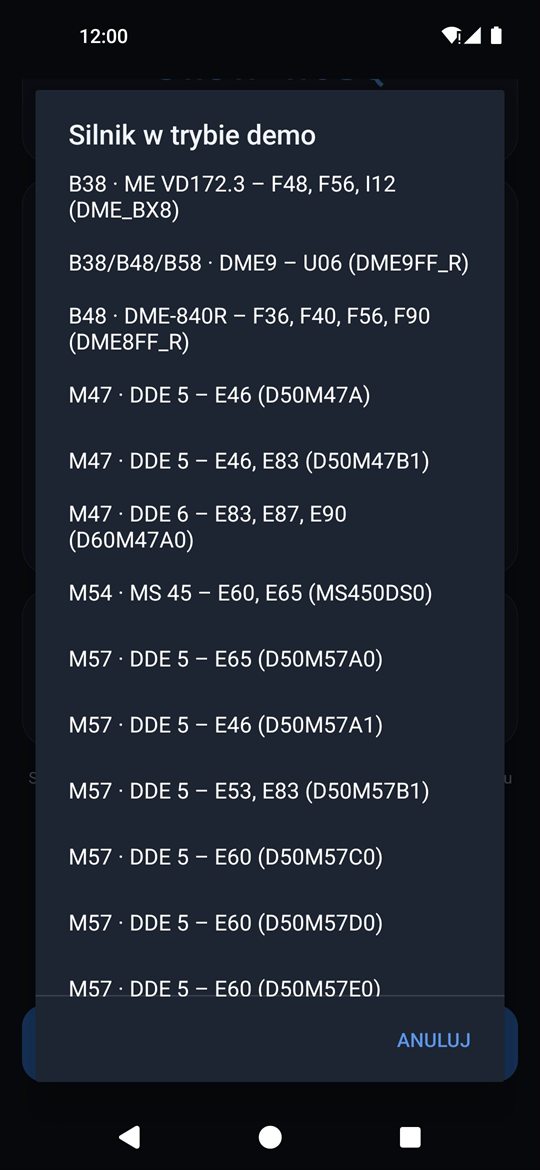
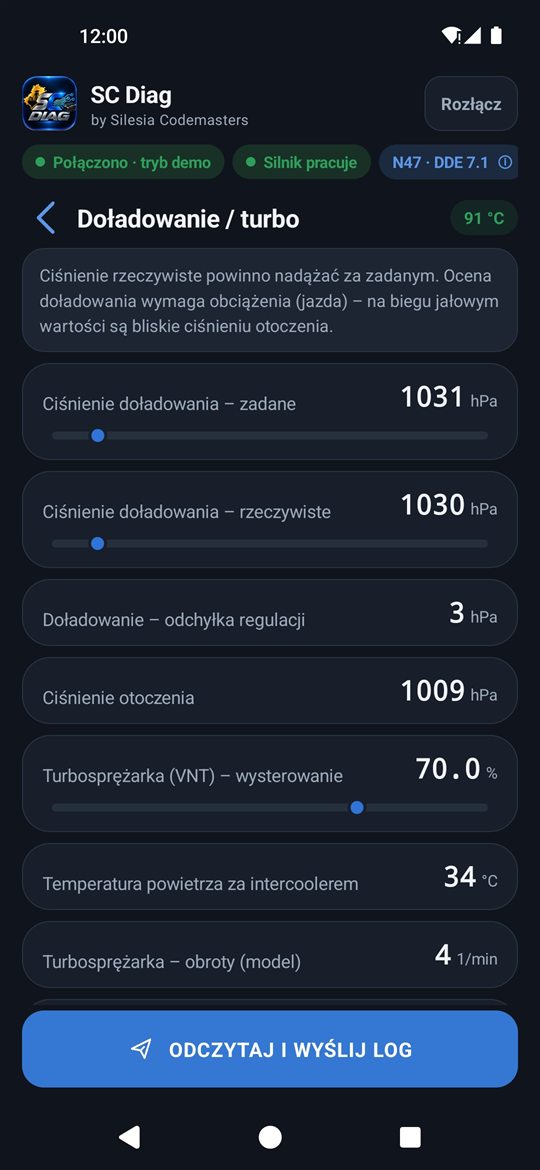
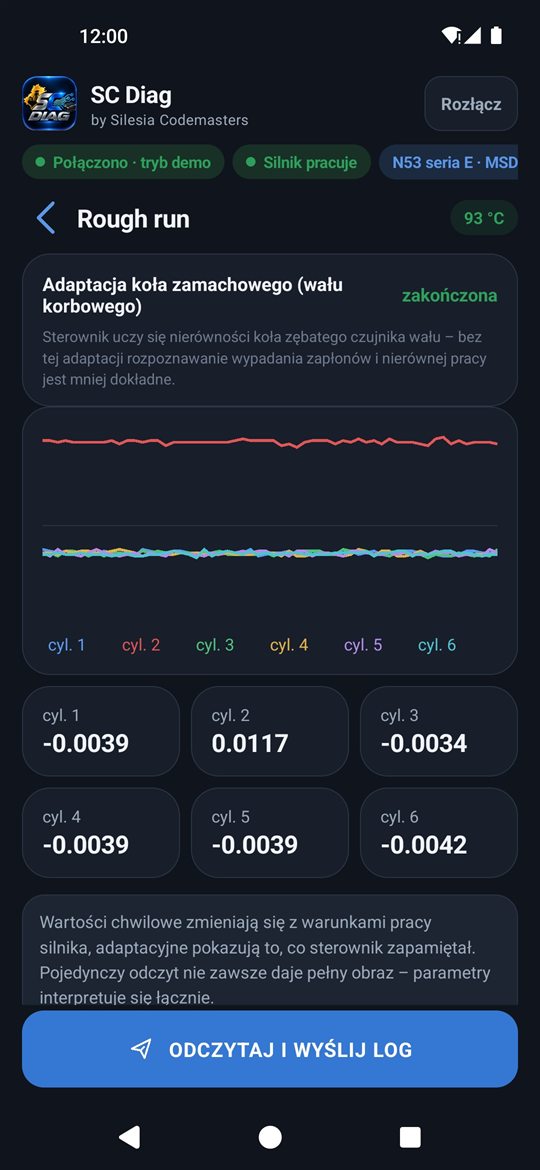
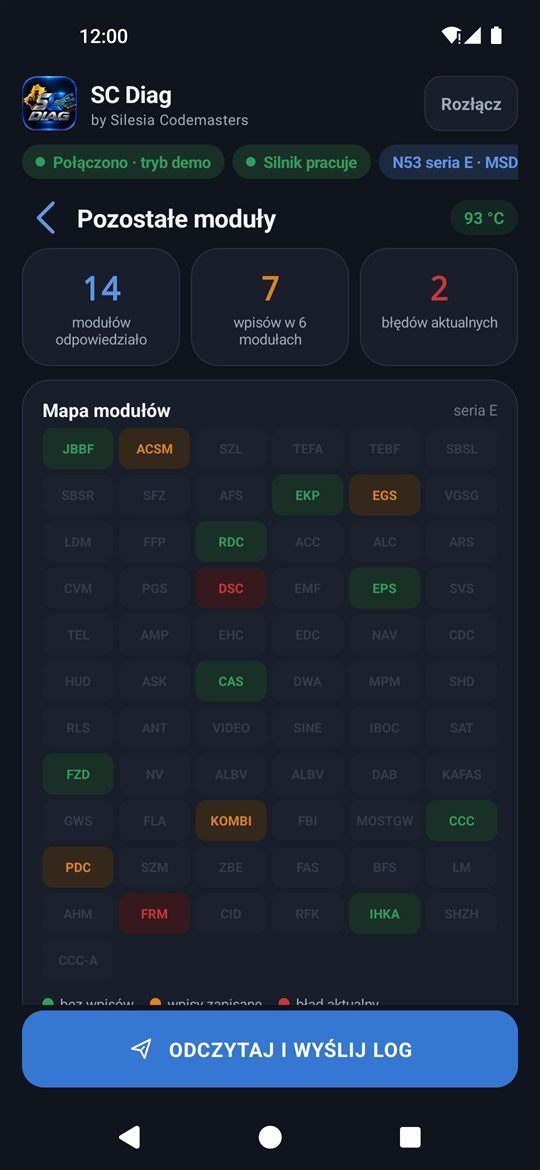
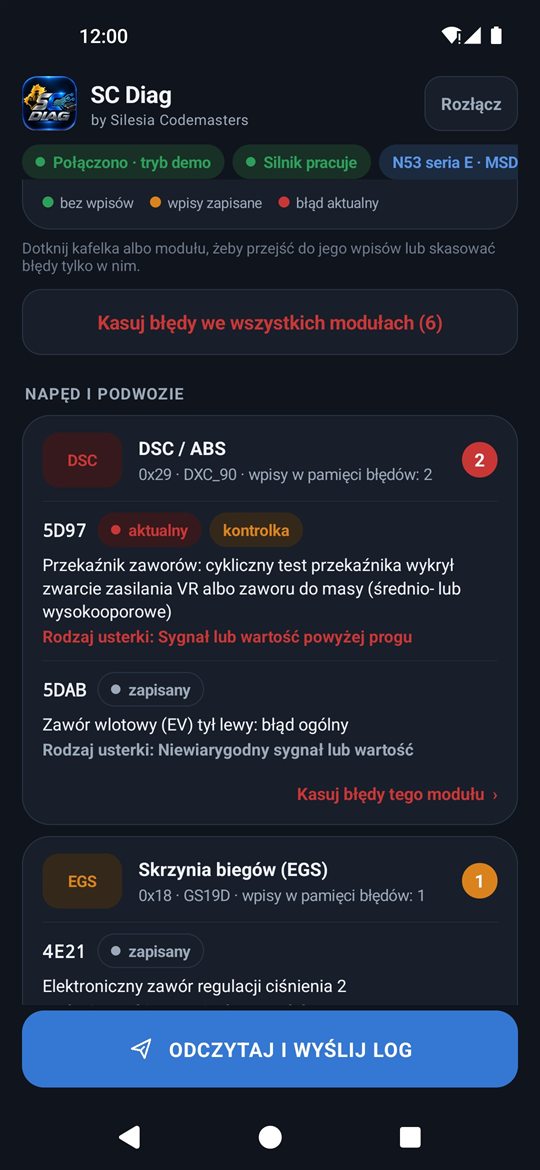
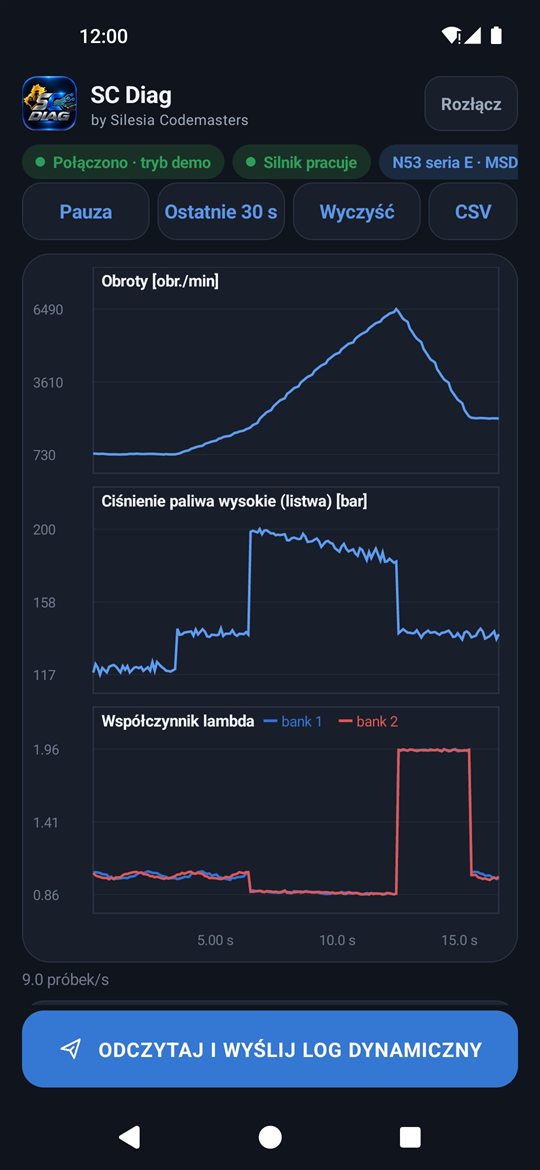
Screenshots from the demo mode (simulated data). The interface is shown in Polish; the app is also available in English and five other languages. The appearance may differ slightly depending on the version, the control unit and the screen size.
One core, two ways of working.
Both versions have the same 97 control units and the same features. They differ in the screen and in the interfaces you use to connect to the car.
SC Diag for Android
app · version 1.0.5- Device
- Phone or tablet with Android 8.0 or newer
- Connection
- ELM327 (Bluetooth, Bluetooth LE, Wi-Fi), K+DCAN cable via USB OTG (E series), ENET cable (F and G series)
- Best for
- quick readings in the car, pre-purchase checks, driving logs
- Installation
- APK file from this page; the app installs later versions by itself after you confirm
- Without a licence
- demo mode and a reading for analysis (no key needed)
SC Diag for Windows
program · version 1.0.29- Device
- Laptop or PC with Windows 10 / 11 (64-bit)
- Connection
- K+DCAN, ENET, ICOM (USB / LAN / Wi-Fi) and VXDIAG (also via J2534) cables, ELM327
- Best for
- workshop use: large screen, charts, mouse, window zoom, light and dark theme
- Installation
- MSI installer — no additional diagnostic software; the program offers updates by itself
- Without a licence
- demo mode with simulated data
Common to both versions
- 97 BMW and MINI engine control units
- Diagnostics, Service and vehicle functions
- Reading for analysis and report ordering
- 7 interface languages
- The same licence prices
- Separate licences — each for one device
Not sure which interface to choose? For readings, a good ELM327 adapter is enough (e.g. Vgate iCar Pro, vLinker) — the cheapest clones can be unstable. For service procedures we recommend a cable: K+DCAN for the E series, ENET for the F and G series. Write to us and we will advise. The app's results are for guidance — the repair decision rests on a specialist's analysis.
Choose the access that suits you.
The same packages on Android and Windows — every paid licence gives you all diagnostic features for the 97 control units, and the 2-year licence adds the Service tab.
- All diagnostic features for 30 days (without Service)
- 97 control units, any number of cars and readings
- Reading history on your device
- Updates in the app
- All diagnostic features for 12 months (without Service)
- 97 control units, any number of cars and readings
- Reading history on your device
- Updates in the app
- All features for 730 days on one device
- Service — engine procedures and vehicle functions (experimental, with confirmation, within the control unit's scope) — what it covers
- Basic Diagnostics €40 instead of €50 — on every order
- Updates in the app
The licence is tied to one device. The Android licence and the licence for SC Diag for Windows are separate licences (separate order and key) at the same prices. We no longer sell the lifetime licence — existing lifetime licences keep working unchanged, with the Service tab. App access covers taking the reading and sending the log; the log analysis and the report prepared by Silesia Codemasters are a diagnostic service charged according to the diagnostics price list. Holders of the 2-year licence (Android or Windows) and of an existing lifetime licence order Basic Diagnostics at a fixed €40 (instead of €50) — on every order. Prices are in euro. The Service Provider is exempt from VAT (art. 113(1) of the Polish VAT Act); prices are final, no VAT is added. Payment: Revolut (bank transfer in EUR) or PayPal. We issue an invoice for every payment. You place the order using the form (with an obligation to pay); we send the key once the payment has been received. A consumer who requests immediate delivery of the key loses the right of withdrawal (digital content); without such a request we deliver the key 14 days after the contract is concluded — the rules for selling licences, withdrawal and complaints are set out in the Terms and Conditions (§8–§16). The order form and the confirmation e-mail are in English — if you need help, write to us.
Download SC Diag — for Android or Windows.
Demo mode works straight after installation, without a car and without a licence. You enter the licence key in the app after ordering.
Latest version:
After downloading, open the file and allow installation from this source. Your browser may warn that an APK file can be harmful — this is the standard message for apps from outside the Play Store. The app installs later versions by itself. How to install step by step →
The Android app is being prepared.
Write to us and we will let you know as soon as it is available to download — and we will arrange your access right away.
Write to usSC Diag for Windows
MSI installer — everything included, no additional diagnostic software. After installation the program is in the Start menu and on the desktop, demo mode works right away, and the program offers new versions by itself.
How to install SC Diag on Android.
Download the file to your phone
Open this page on your phone and tap “Download SC Diag (APK)”. Your browser may warn that an APK file can be harmful — choose “Download anyway” or “OK”. This is the standard message for apps from outside the Play Store.
Open the downloaded file
Tap the download-complete notification or find the file SCDiag-….apk in the “Files” app, in the Downloads folder.
Allow installation from this source
If Android asks, choose “Settings”, turn on “Allow from this source” for the browser you downloaded the file with, and go back to the installer with the back arrow.
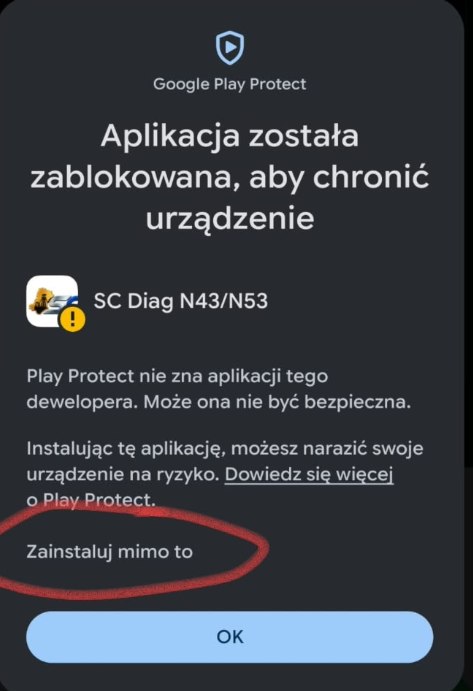
Play Protect: “Install anyway”
Google Play Protect may show the message “App blocked to protect your device”. This happens because SC Diag is not in the Play Store and Google does not know the publisher yet. Tap “Install anyway” (on some phones “More details” first), not just “OK” — “OK” cancels the installation. The exact wording depends on your phone's language.
Launch and activate
Open SC Diag, tap “Send code” or “Order a key” and enter the key in the app once you receive it. You install later versions without the browser: About → Check for updates.
Not working? On Samsung phones with One UI 6.1 or newer, “Auto Blocker” (Settings → Security and privacy → Auto Blocker) can block installs from unknown sources — switch it off during installation. The message “App not installed” usually means an older version signed with a different key — uninstall it and install again. Option names differ by brand and Android version. If you have trouble, write to us — we will help.
A symptom in the car — and what you check in SC Diag.
Below are the most common situations with BMW N43 and N53 engines and where in the app you find the answer. Every topic has its own article with an explanation.
The engine stumbles or runs unevenly
The rough run chart and misfire counters show which cylinder runs worse than the others.
Injectors and adaptations
The log contains injector adaptations and mixture trims; it helps tell a worn part from a counterfeit or wrongly coded one.
Fuel pressure and the high-pressure pump
The dashboard shows fuel pressure live, and the log lets you compare it with other parameters.
Spark plugs and ignition coils
Misfire counters are the first lead when spark plugs or coils are suspected.
NOx and stratified mode
NOx system values and the operating mode in the log help assess the sensor and the catalyst; the Service tab includes desulphation (experimental).
NOx sensor failure symptoms · Stratified mode not returning · NOx catalyst desulfation
Battery and the IBS sensor
The IBS sensor reading shows the state of the battery; after a replacement it has to be registered.
Buying a used BMW with an N43 or N53
Adaptations and counters reveal the true condition of the engine before you decide to buy.
After an engine repair
After replacing parts a readaptation is sometimes needed; the log shows whether the adaptations are back to normal.
Engine readaptation after repair · Engine operating modes N43/N53
Prefer us to do it for you
Send the log from the app and we send back an analysis and report, or book N43/N53 diagnostics at the workshop.
More about N43 and N53 engines
Frequently asked questions.
Both. SC Diag is an app for phones and tablets with Android 8.0 or newer and a program for laptops with Windows 10 or 11 (64-bit). Both versions share the same diagnostic core, the same 97 engine control units and the same features — they differ in the screen and in the interfaces you use to connect to the car. You don't need any additional diagnostic software. Phone and computer licences are separate.
BMW and MINI engines — 97 engine control units (60 petrol and electric, 37 diesel) across the E, F and G series: including N43, N45, N46, N52, N53, N54, N55, N20, B38, B48, B58, N62, N63, N73, N74, M engines (S54, S55, S58, S63, S65, S68, S85), the M47, M57, M67, N47, N57, B37, B47 and B57 diesels, plus MINI (R50, R56, F55, F56, F60) and the i3. N43 and N53 have the fullest scope of assessments and descriptions; for other engines the range of values and functions depends on the data the control unit provides. Full list of control units.
Not any more. Since November 2026 the Android app (version 1.0) supports the same 97 engine control units as the Windows program — earlier versions were designed for N43 and N53 only. The app installs the new version by itself once you confirm, and your licence stays.
On Android: an ELM327 adapter via Bluetooth or Wi-Fi (e.g. Vgate iCar Pro, vLinker), a K+DCAN cable connected through a USB OTG adapter (E series) or an ENET cable (F and G series). On Windows: a K+DCAN, ENET, ICOM or VXDIAG cable (also via J2534) or an ELM327 adapter. The cheapest ELM327 clones can be unstable, and for service procedures we recommend a cable. If in doubt, write to us — we will advise.
30-day licence: €9.99. 12-month licence: €29.99 (about €2.50 a month). 2-year licence with the service option: €69.99 (about €2.92 a month) — with the Service tab, and its holders order Basic Diagnostics at a fixed €40 instead of €50 on every order. Prices are the same on Android and Windows, but they are separate licences. The Service Provider is exempt from VAT (art. 113(1) of the Polish VAT Act); prices are final, no VAT is added.
No. A licence is tied to one device — a phone or a computer. For Android and Windows you order separate licences, at the same prices. If you change devices, write to us.
Yes. After installation, both the Android app and the Windows program offer a demo mode — no car and no licence needed, with simulated data. You can pick an engine and look through the screens before you order a licence.
Play Protect warns about every app from outside the Play Store from a publisher that Google does not know yet. You download the app directly from this page, and each version is signed with the publisher's key and checked with a SHA-256 checksum (shown next to the download file). Choose “Install anyway” — details in the installation guide.
After installation the app (or the Windows program) shows your device code. You place an order with this code, choose the licence type and, once your payment is received, you get a licence key to enter in the app. The key is tied to one device — if you change your phone or computer, write to us.
Yes. The Android app and the Windows program check whether a newer version is available on our server and install it after your confirmation. Your licence and reading history stay.
No. SC Diag is available for Android (8.0 and newer) and as a program for Windows 10 and 11 — there is no iPhone or macOS version.
Reading, live values and sending the log change nothing in the control unit. Control-unit settings are changed only by the experimental procedures in the Service tab (only with the 2-year licence and existing lifetime licences) — you start each one yourself, after a warning and a separate confirmation. The results are for guidance only — the repair decision rests on a specialist's analysis, which is why you can order a report on your reading from Silesia Codemasters.
The reading log is encrypted in the app, and you decide whether to send it to us. Your reading history is stored on your device and you can delete it at any time.
All app features, as with the 30-day and 12-month licences, plus the Service tab with experimental functions: oil change registration, adaptations and resets, actuators, diagnostic tests, learning and calibration, battery registration, enabling regeneration and resetting the DPF in diesels, and for N43 and N53 also injector coding with backup and NOx catalyst desulphation — as well as vehicle functions in modules beyond the engine (e.g. services, brakes, tyres). Everything to the extent supported by the given control unit and module; not every procedure will work in every car. You run the procedures at your own risk, after a warning and confirmation. Holders of the 2-year licence also order Basic Diagnostics at a fixed €40 instead of €50. With the 30-day and 12-month licences the Service tab is visible but locked. Existing lifetime licences keep the Service tab unchanged.
Check your BMW or MINI engine — on your phone or your laptop.
Install SC Diag and explore the demo mode. When you're ready, choose a licence — or send us a log for analysis.