Someone spots “checked with INPA” in a car advert or a forum thread and wonders whether it is something they should own, or just workshop jargon. The second is closer to the truth. INPA is a diagnostic program for BMW cars that has long been associated with workshops rather than with phones. Here we explain what it is, what you normally read in it, and when something much simpler is enough to look into an engine.
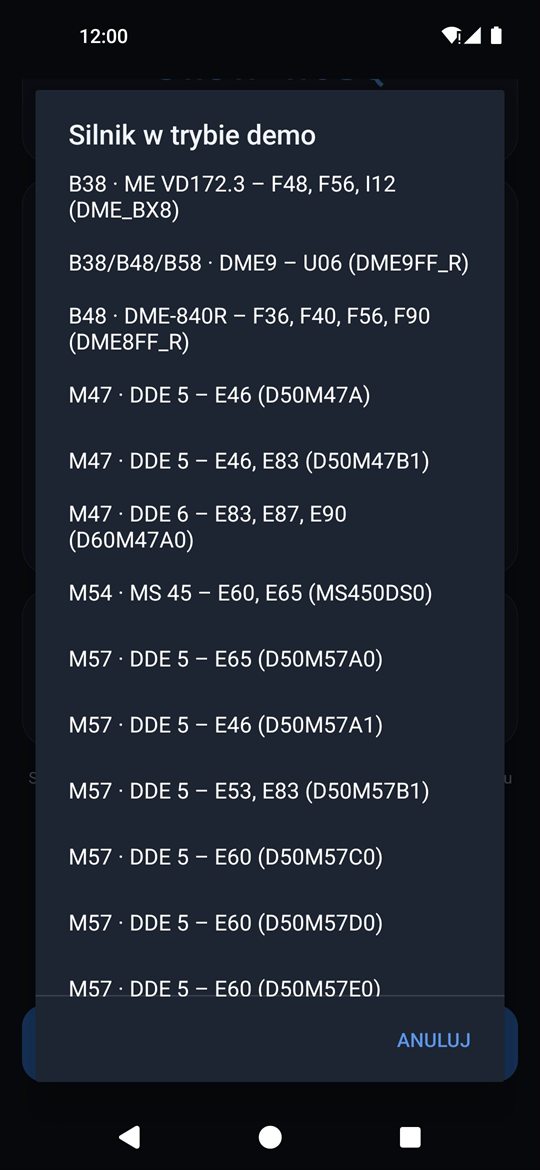
Our own SC Diag app: choosing an engine in demonstration mode (simulated data).
In short: INPA is diagnostic software for BMW vehicles, associated with the workshop world. It runs on a computer and needs an interface that links the car to a laptop. It shows control unit data fairly raw, so you need to know how to read it. For simply reading an engine an app is often enough, but coding and service procedures call for other tools.
Where the name comes from and what it sits on
Older documentation describes INPA as an interpreter for test procedures (an English manual from 2000 calls it an “interpreter for test procedures”). On its own it does nothing to the car. It runs on top of a system called EDIABAS, which handles the conversation with the interface and the control units. Knowledge about each control unit sits in separate description files: an FAQ on EDIABAS and INPA from 2006 says they hold the control-unit-specific knowledge, that is, which question to send and how to read the reply. The screens a user sees are scripts written for a particular car series.
There is a practical consequence. What you see depends on the script, on the control unit description file and on the car itself, all at once. The same program can show a rich screen for one control unit and barely a few lines for another.
What you normally read in it
In the simplest terms: the control unit’s fault memory, live values (engine speed, temperatures, pressures, mixture corrections and so on) and the results of selected tests. Names tend to be abbreviated and often come from German. The numbers appear without any comment on whether they are fine. That judgement is made by a person who knows the engine and knows the conditions of the measurement, because the same value on a cold and on a warm engine can mean something different.
Scripts also set a limit: a screen usually shows only the values its author had in mind, so the control unit may hold more data than you see on screen.
That is why the program is liked by people who know what they are looking for, and annoys those who hope it will tell them what to replace. It does not.
Who the tool is for
For people who diagnose BMWs for a living, or for a long time, and are comfortable with raw data. A car owner who wants to see what the engine control unit says about a cold-start stumble usually does not struggle with operating it, but with interpreting it. Then there is the hardware: a computer, the right interface and a properly prepared environment.
If someone says a car “was checked with INPA”, that sentence alone means little. It is worth asking which control unit was looked at, under what conditions (cold or warm, standing or driving) and which values were considered suspicious. The program is only a window onto the data; the conclusion depends on who assessed it and on what grounds.
And if you only want a look inside the engine
The practical difference looks like this. A workshop program runs on a laptop with a cable, shows values raw and leaves the interpretation to you. An engine-reading app runs on a phone with an ELM327 adapter (or on a laptop), describes values in plain language and sticks to the engine control unit.
One option of that kind is our own SC Diag, an Android and Windows app for reading BMW and MINI engines. It recognises the control unit by itself (97 control units, petrol and diesel) and shows only what that control unit provides. The N43 and N53 are covered most fully, and for other engines the scope depends on the data the control unit supplies. It is not a copy or an equivalent of the program described above, and we do not promise the same screen content.
The limits: engine, coding, the whole car
These are three different jobs. Reading the engine means looking at what its control unit says. Coding means changing the configuration of modules, and it takes separate tools and care. Diagnosing the whole vehicle and following the manufacturer’s procedures is yet another category. We set out the differences between the manufacturer’s tools in the article ISTA or INPA.
SC Diag belongs only to the first group: it does not code and is not meant for dealer procedures. And a read-out, with any tool, does not replace an inspection of the car in a workshop.
What we deliberately leave out
The software discussed in this article has a rights holder, and we do not describe where to obtain it or how to install it.
Frequently asked questions
No. They are different programs for different jobs: ISTA guides you through service procedures, while INPA shows rawer control unit data. We cover the differences in the article on ISTA and INPA.
It is most often mentioned for older generations, but the scope depends on the control unit, its description file and the script, so we do not give a list of models.
Not necessarily. You need a tool that knows the engine control unit’s protocol and describes what the control unit provides, for example an engine-reading app. Coding and service procedures need other tools.
No. SC Diag is our own app for diagnosing BMW and MINI engines on Android and Windows. It reads engine control unit data, does not code and is not meant for dealer procedures.
It shows facts from which a probable direction can be drawn, but deciding on a part takes judgement and often measurements on the car. That is why you can order a specialist analysis of an SC Diag read-out.
Take a look inside your BMW’s engine
Have a look at SC Diag: demonstration mode works without a car and without a licence, and a one-off read-out when you order a diagnosis is free of charge.
See SC Diag