You type “INPA in English” or “INPA in your language” into a search engine because the screen shows German abbreviations and you cannot tell whether a value is a pressure, a temperature or a mixture correction. We know that from the workshop, and in Poland we get the same question as “INPA po polsku”. So, an honest answer first: we know of no official translation of INPA into other languages. What we do have is our own application that reads a BMW engine and describes it in your language, and we write about it too, together with what it does not do.
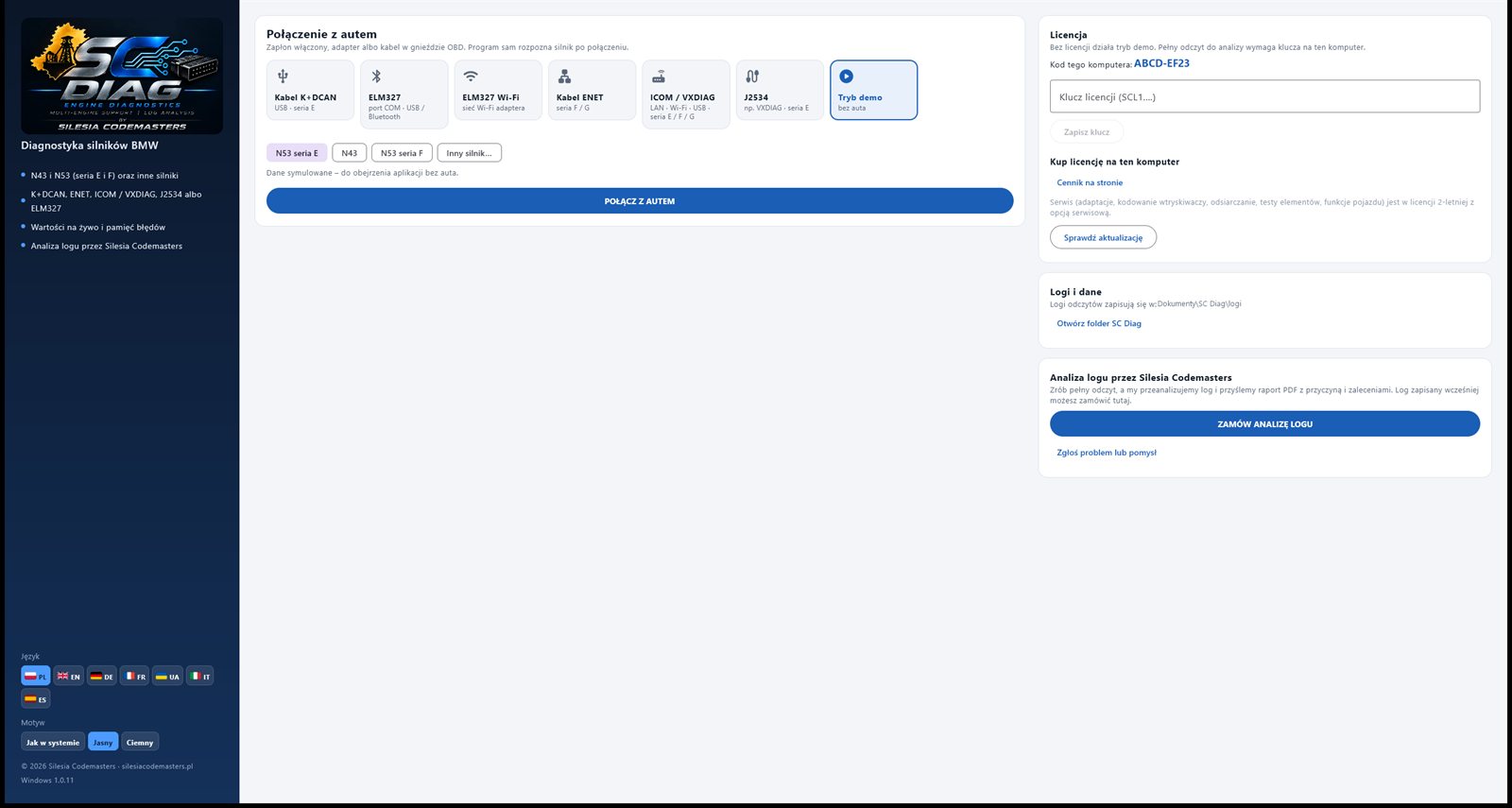
The start screen of SC Diag for Windows with the choice of interface language. Demo mode, simulated data.
Short answer: we know of no translated version of INPA, because its screens and descriptions are in German and English, and we do not translate it. SC Diag for Windows is our own, independent application, not INPA and not a copy of it. It reads BMW and MINI engine control units and describes faults and values in your language. It does not code and is not a substitute for ISTA.
First a short word on INPA, then on SC Diag for Windows, and at the end on when it is better to reach for something else. We are the authors of SC Diag, so read this with that in mind.
Why INPA “speaks” German
INPA is an interpreter of test procedures. On its own it does nothing with the car: it runs on top of the EDIABAS system, and the knowledge about a particular control unit sits in separate description files. The screens you see are scripts prepared for a given car series. The details are in our article what is INPA.
So the language of a screen depends on the author of the script. In practice the value names are short and largely derived from German, and the numbers appear without any comment on whether they are fine. We know of no official translation, and we do not offer a translation of this program.
Glossaries of abbreviations from forums can help, but it is easy for them to drift away from your control unit and its version. Where the conclusion matters, it is better to have a description attached to the value than a list of abbreviations in a separate window.
What SC Diag for Windows shows in your language
SC Diag is our own application for diagnosing BMW and MINI engines, on Windows and on Android. It is not INPA, not a copy or a translation of it, and has no connection with BMW. It recognises the engine control unit by itself (97 control units, petrol and diesel, from the E46 to the G series) and shows only what that control unit provides. The interface is available in Polish, English, German and French, among others.
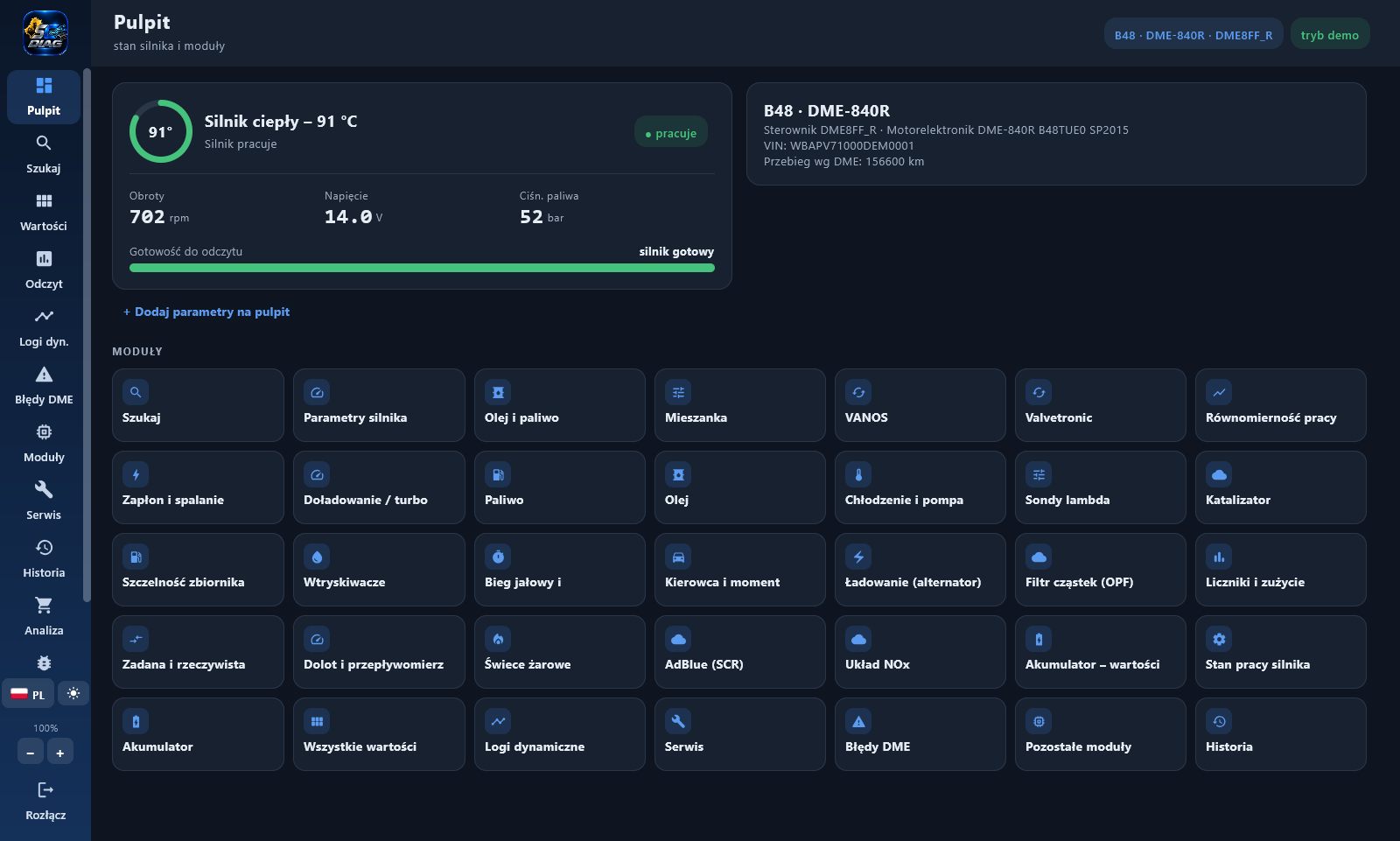
The dashboard, shown with the Polish interface. Demo mode, simulated data.
On the dashboard you see temperature, engine speed, voltage, fuel pressure and readiness for reading. Below are tiles with names you can actually read: mixture, oil and fuel, lambda sensors, catalytic converter, injectors. Instead of a list of abbreviations you choose a topic.
Engine faults come with descriptions and a freeze frame, that is the conditions in which the control unit stored the fault: engine speed, load, coolant temperature, mixture corrections. A code without a freeze frame tells you that something happened. With the freeze frame you can see when.
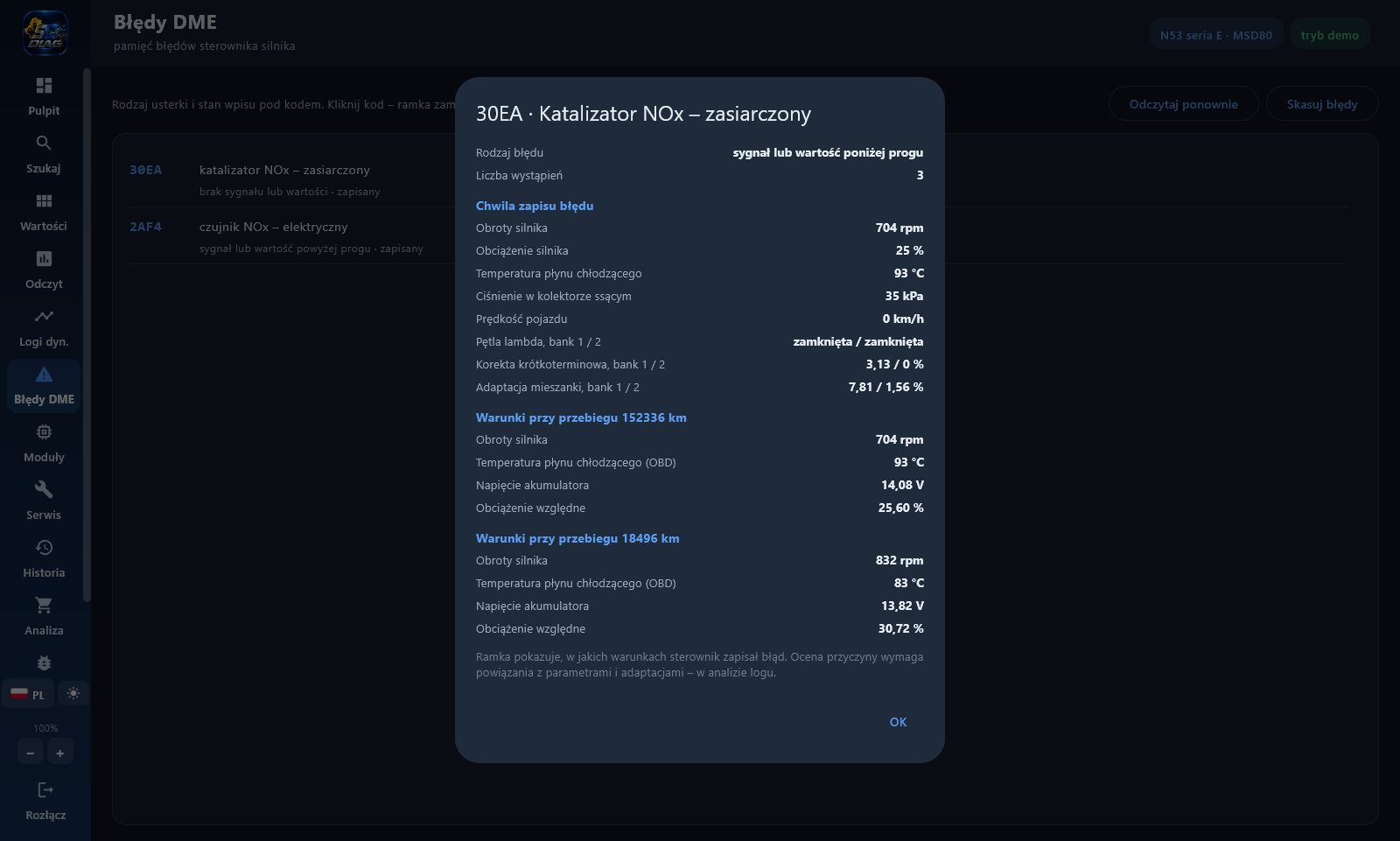
An engine fault with a description and a freeze frame, shown with the Polish interface. Demo mode, simulated data.
Beyond the engine, the program shows on a module map which control units in the car responded and where there are entries in the fault memory. It is an overview of fault memories, not a diagnosis of the whole car.
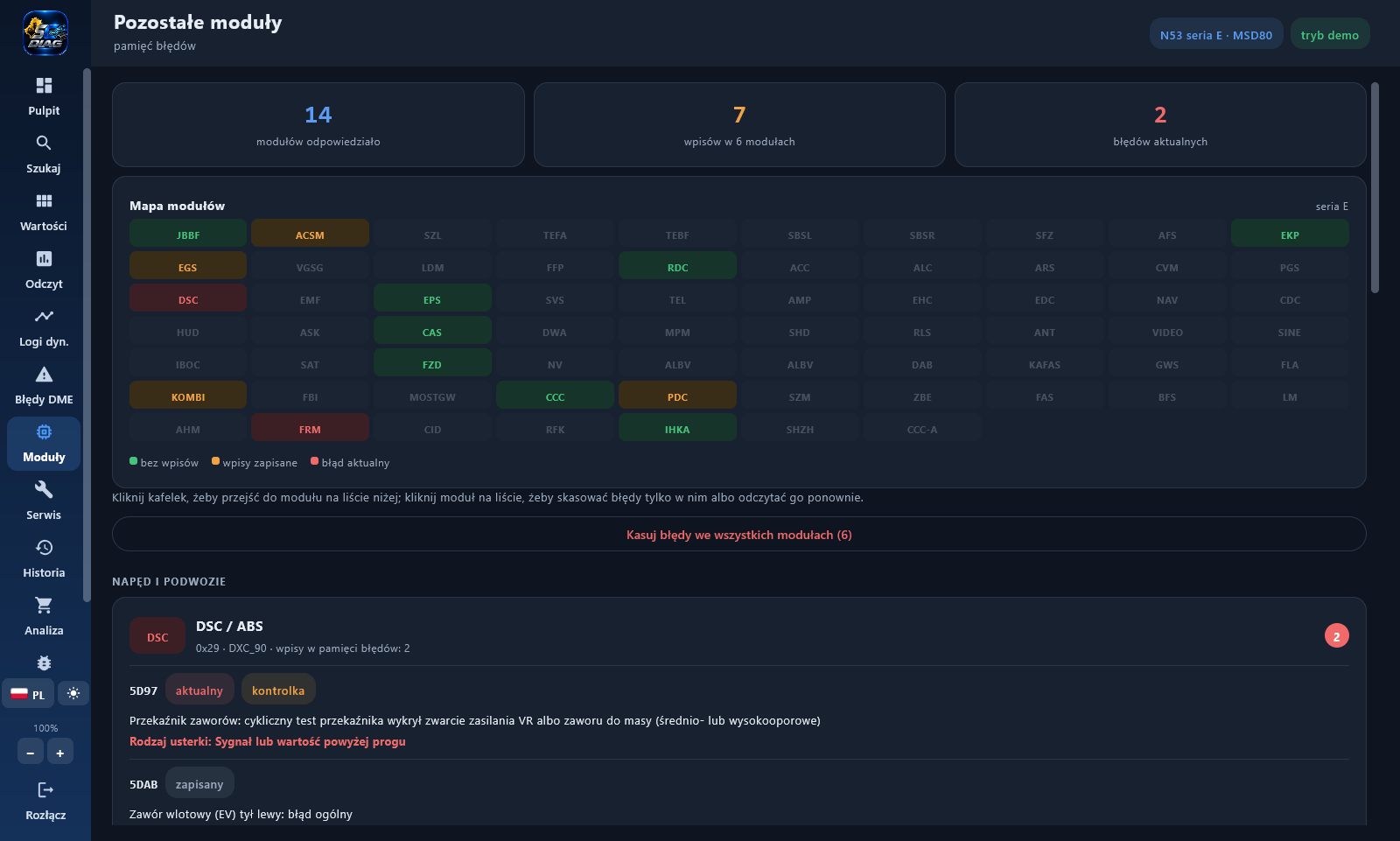
The module map and fault descriptions, shown with the Polish interface. Demo mode, simulated data.
On the road you can record a dynamic log with charts, for example of engine speed and fuel pressure. You can send the record to us and receive a PDF report that points to the probable direction of the checks. The report is a separate service, charged according to the log analysis price list.
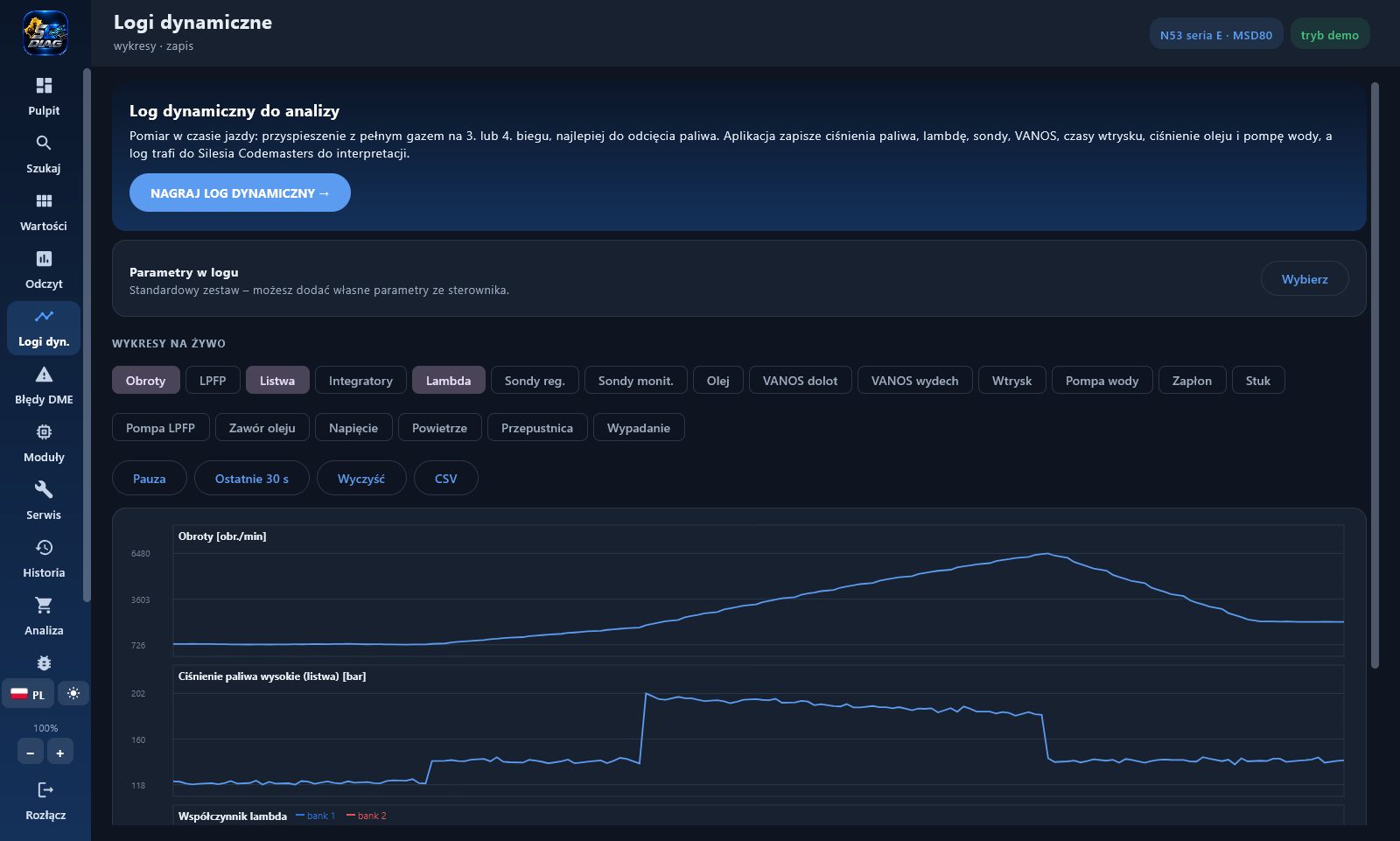
A dynamic log with charts, shown with the Polish interface. Demo mode, simulated data.
There is a language limit too. The control unit catalogues are huge and not every entry has a translated name yet, so you may occasionally meet the original label from the control unit. Engine fault descriptions exist in Polish, and part of them also in English and French, so check how well your language is covered before you rely on it.
What SC Diag adds
The differences are more about design than about quality. INPA gives raw data and leaves the interpretation to you. SC Diag describes the values in plain language and, for the N43 and N53, adds an assessment of them.
The program recognises the control unit by itself, so you do not choose a screen for the car series. The installer contains everything needed, with no additional diagnostic programs. You open a fault together with its freeze frame, and you send a log for analysis from within the program.
What SC Diag does not have, and where INPA and other programs have the advantage
Above all there is no coding, that is changing the configuration of modules. There are no manufacturer service procedures, which ISTA leads you through, and there is no support for all body modules, because this is engine diagnostics. Whoever works professionally on raw data has a freedom in INPA that a ready, described screen does not give in every case.
Then there is the scope. The N43 and N53 are covered most fully, and for the other engines the scope depends on the data the control unit provides. The workshop interfaces ICOM, VXDIAG and J2534 are in testing, not confirmed on a vehicle. We described the differences between the manufacturer tools in ISTA or INPA, and the kinds of programs in the guide which program to choose for BMW diagnostics.
We do not write how to obtain or install INPA. That software has a rights holder. A reading from any program also does not replace an inspection of the car in a workshop.
How to connect the laptop to the car
On the E series you use a K+DCAN cable, and the program detects the port by itself. On the F and G series, an ENET cable. An ELM327 adapter works over USB, Bluetooth (paired as a COM port) or Wi-Fi, and the program adjusts the readings to its speed. The cheapest ELM327 clones tend to be unstable. The program runs on Windows 10 and 11, and the choice of cable for each series is covered in the text on ELM327, K+DCAN and ENET.
Who it is enough for, and who it is not
SC Diag is enough when you want to look into the engine: it jerks when cold, a warning light is on, you are buying a car and want to see what the control unit says. It is not enough when you plan coding or a manufacturer procedure, because then you need a workshop program or someone who uses it every day. If you work in INPA because you know it, there is no reason to give it up. More on choosing a tool: BMW diagnostics without INPA and SC Diag features.
How we can help
The first route is your own reading in SC Diag for Windows: €9.99 for 30 days, €29.99 for a year or €69.99 for two years with the Service option. The licence is tied to one computer, and Android and Windows are separate licences. Demo mode works without a car and without a licence, so you can look at all the screens before you buy anything. You can order a licence on the SC Diag order page.
The second route is diagnostics with us: at the workshop, mobile or remote (N43, N53, remote diagnostics). We agree the scope by phone, 570 341 744. A first reading will help you prepare for the conversation, but it will not replace an inspection.
Frequently asked questions
We know of no official translated version. The screens and descriptions are in German and English, and the value names are often abbreviations derived from German. We do not translate this program and do not offer such a translation.
No. SC Diag is our own, independent application for diagnosing BMW and MINI engines, not connected with BMW. It is not a copy or a translation of INPA, and we do not promise the same screen content.
No. It is an engine reading: faults, values, rough run and logs. Manufacturer service procedures and coding are not in it, and ISTA stays where those procedures matter.
On the E series a K+DCAN cable, on the F and G series an ENET cable. An ELM327 adapter over USB, Bluetooth or Wi-Fi also works. ICOM, VXDIAG and J2534 are in testing, not confirmed on a vehicle.
A 30-day licence costs €9.99, a one-year licence €29.99, and a two-year licence with the Service option €69.99. Android and Windows are separate licences, and demo mode works without a licence.
Look into the engine of your BMW
Demo mode works without a car and without a licence, and the Windows licence starts at €9.99 for 30 days.
Order SC Diag